INDUSTRY PLAYBOOK
Tool Tracking for General Contractors
A tool tracking solution for general contractors that keeps shared reusable tools visible across crews, trucks, storage, and multiple job sites.
Start freeA practical tool-tracking workflow for construction crews.
TakeMoveReturn gives small crews a simple QR-based way to record where reusable tools are, who has them, and what happened next.
- No GPS or expensive hardware required
- Works from a phone browser
- Built around TAKE, MOVE, and RETURN
PRODUCT PREVIEW
See the record before you search for the tool.
Keep the details field teams need together, from the tool list to the next handoff.
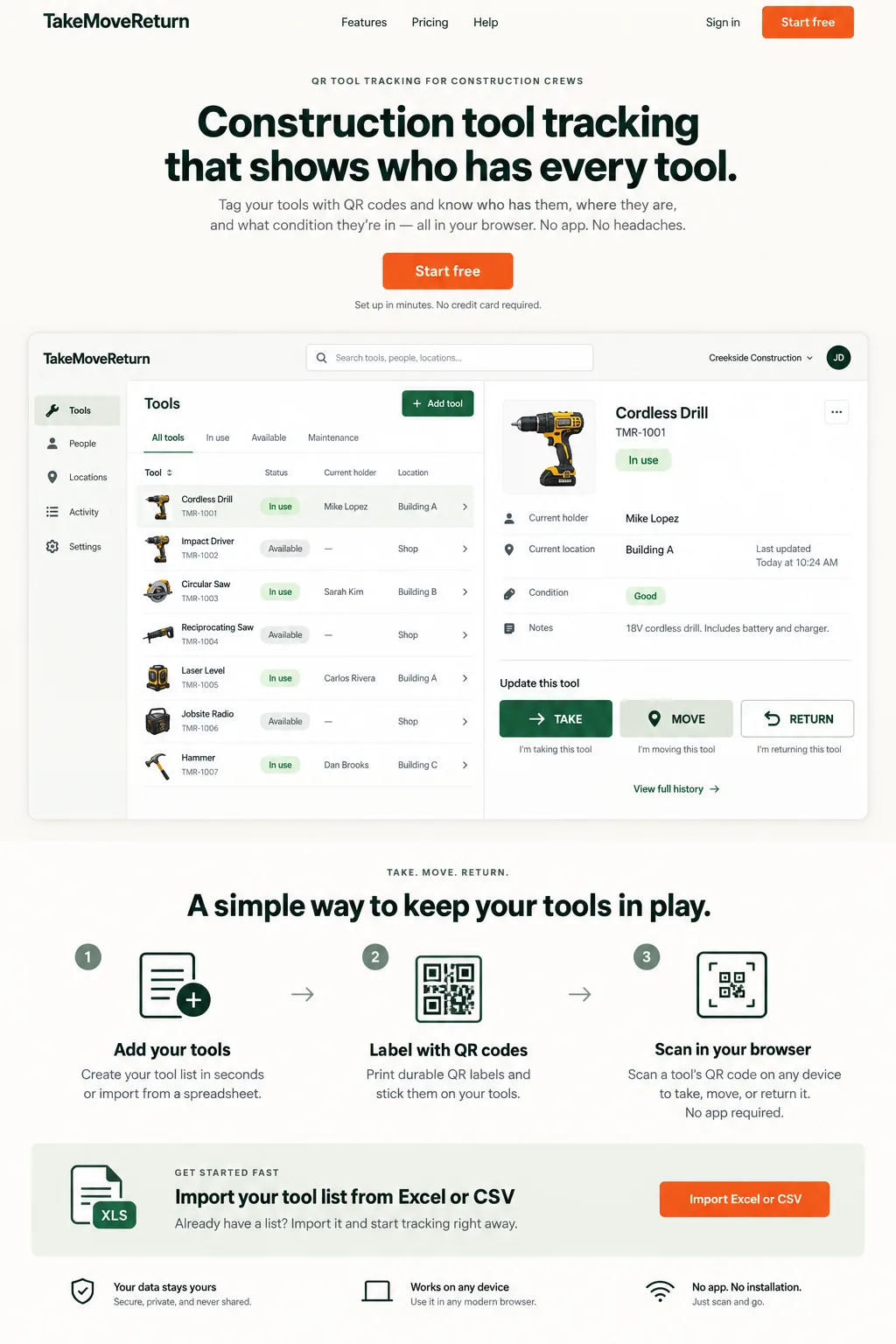
Illustrative design preview with fictional records. The current workspace interface may differ.
FIELD REALITY
Built for the problem behind the search.
A spreadsheet can list every tool but rarely stays current after the first truck leaves the yard.
CONSTRUCTION SCENARIO
Follow the next handoff.
A rotary hammer moves between two job sites during the week, and the superintendent needs to see who has it before approving another handoff.
WHO IT SERVES
Keep the workflow in scope.
General contractors with shared tools crossing crews, trucks, storage areas, and active sites.
BOUNDARY CHECK
Use the right tool for the job.
TakeMoveReturn complements project management by answering a narrower question: who has each reusable tool and where is it now?
WORKFLOW
A short path from tool list to current record.
- 01
Import the current tool list
- 02
Label shared tools with QR codes
- 03
Track TAKE, MOVE, RETURN, damage, and maintenance events
Track Shared Tools Across Multiple Crews
General contractors often share the same reusable tools across several crews, so the current holder and recorded location need to survive every handoff.
Know Which Truck or Job Site Has the Tool
A tool record should make it clear which worker, truck, storage area, or job site last received the tool before someone starts searching for it.
A Simple Tool Tracking Solution for General Contractors
A simple tool tracking solution for general contractors can focus on TAKE, MOVE, and RETURN rather than duplicating project-management software.
Replace Tool Checkout Spreadsheets
Replacing checkout spreadsheets with QR-based handoff records helps keep the latest custody event visible after crews leave the yard.
Define who owns a handoff across subcontractors
A general contractor may coordinate several crews without owning all their tools. Decide which items belong in your company register and who is authorized to record them. Do not assume another subcontractor's private inventory is visible or that a shared device grants access across companies.
Put it into practice
- Register only assets your workspace is responsible for.
- Agree on the person and location responsible for each shared handoff.
- Review unresolved returns before a crew leaves the project.
For product corrections, contact support@takemovereturn.com. About the service and operator.
FAQ
Questions crews ask before they switch.
Is this a full construction project management system?
No. It is intentionally focused on reusable tool custody, location, and history.
Can field workers use it without accounts?
Worker access and permissions are part of the secure product workflow; an anonymous QR code is not authentication.
Can one company see another company's tool register?
Company workspaces are separate. Do not assume cross-company access or automatic subcontractor inventory sharing.
Give every tool a clearer next move.
Start with your existing spreadsheet, print QR labels, and give your crew a clear field workflow.