CONSTRUCTION TOOL TRACKING
Tool Checkout System for Construction Crews
A QR-based tool and equipment checkout system for construction crews.
Start freeA practical tool-tracking workflow for construction crews.
A tool checkout system records who takes a reusable tool, where it moves, and when it returns so the next crew does not have to reconstruct the handoff from paper.
- No GPS or expensive hardware required
- Works from a phone browser
- Built around TAKE, MOVE, and RETURN
PRODUCT PREVIEW
See the record before you search for the tool.
Keep the details field teams need together, from the tool list to the next handoff.
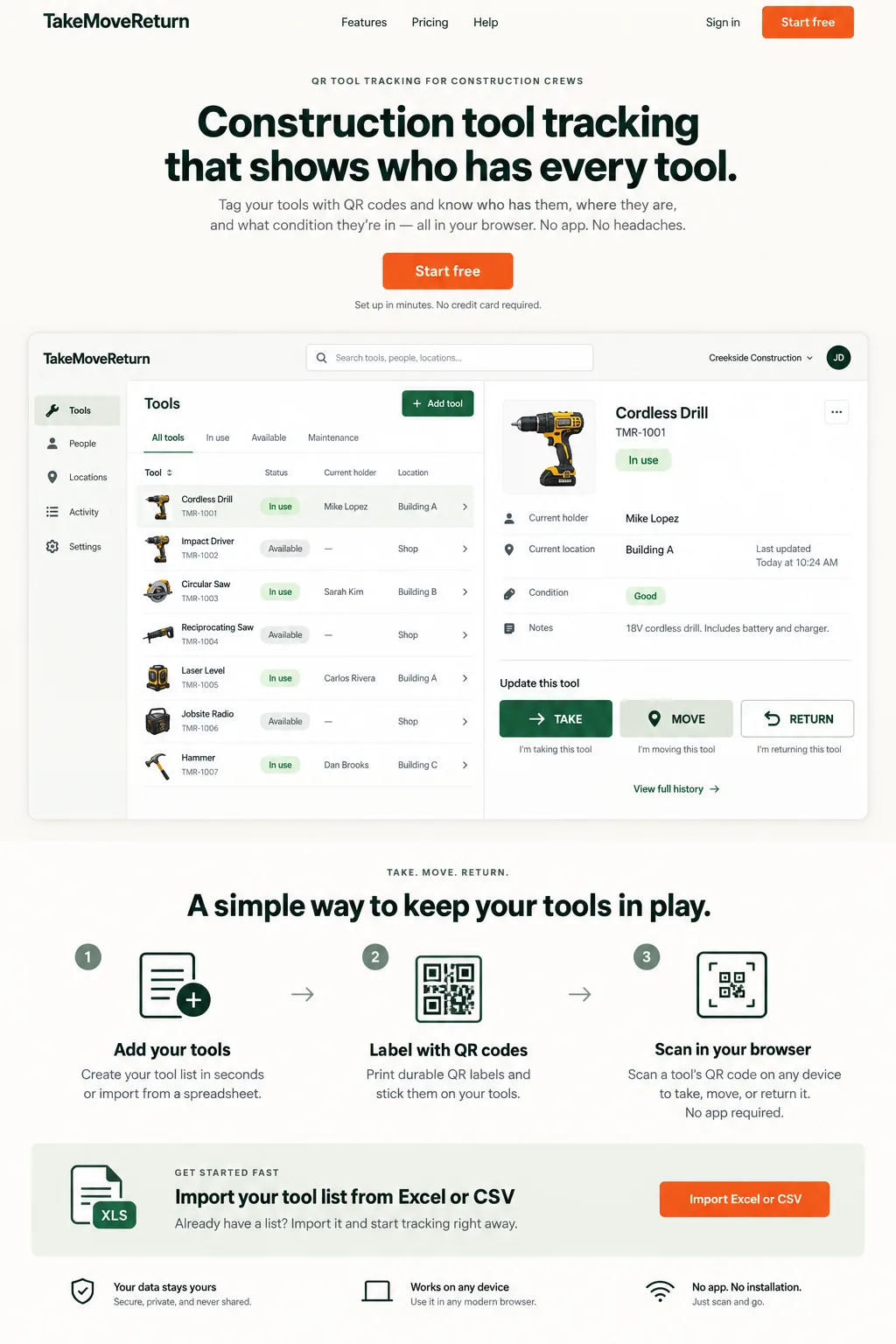
Illustrative design preview with fictional records. The current workspace interface may differ.
FIELD REALITY
Built for the problem behind the search.
Tool records become difficult to trust when handoffs happen faster than the spreadsheet can be updated.
CONSTRUCTION SCENARIO
Follow the next handoff.
A tool moves between a worker, a truck, and a job site, and the next person needs a clear record.
| Action | Use it when | Expected record |
|---|---|---|
| TAKE | An available tool is issued to a worker | Checked out to that worker at the selected location |
| MOVE | A checked-out tool changes holder or location | Updated holder/location and a new movement event |
| RETURN | The tool is handed back | No current holder and the selected return location |
How the Tool Checkout System Works
Prepare the tool record, an enrolled field device and each worker's private PIN. Scan the label, confirm the asset code and inspect its current status before choosing an action. The QR identifies the tool; it does not authenticate the worker.
Scan a QR Code to TAKE a Tool
For tool checkout tracking, sign in as the receiving worker and use TAKE for an available tool. Select the real starting location and confirm the result. Check the holder and history before taking another item, especially when several identical tools share a storage shelf.
Move Tools Between Workers, Trucks and Job Sites
Use MOVE when a checked-out tool changes holder or location. Confirm the receiving person and destination with the crew. A truck location is a user-recorded location, not a live GPS signal; the record will stay there until another event is recorded.
Return Tools and Keep the Full History
For tool return tracking, inspect the physical item, choose its return location and record RETURN. Confirm that the holder is cleared and the new event appears in history. Report damage separately so a return is not mistaken for a repair or safety inspection.
Equipment Checkout Without Paper Sign-Out Sheets
A paper sign-out sheet cannot show an unrecorded transfer. Give the crew one handoff process and review outstanding tools before a site closes. If a response times out, inspect the record before retrying; if the state is unclear, ask a manager to review it.
Use the right event at each handoff
TAKE starts custody, MOVE records a change of holder or location, and RETURN ends the checkout at the selected return location. Select a real location and inspect the resulting status before leaving the page. If a response is unclear, check the history before submitting the same action again.
Put it into practice
- Confirm the correct worker is signed in before TAKE.
- Use MOVE when the checked-out tool changes location.
- After RETURN, verify that the tool is available and the return location is correct.
For product corrections, contact support@takemovereturn.com. About the service and operator.
FAQ
Questions crews ask before they switch.
What if I do not see a success message?
Check the tool status and activity history before retrying. If the record is still unclear, contact support without sending your PIN.
Give every tool a clearer next move.
Start with your existing spreadsheet, print QR labels, and give your crew a clear field workflow.