CONSTRUCTION TOOL TRACKING
Asset Tagging System for Construction Tools and Equipment
An asset tagging system for construction tools using QR labels, browser-based scans, and clear TAKE, MOVE, and RETURN records.
Start freeA practical tool-tracking workflow for construction crews.
An asset tagging system gives each reusable construction tool a stable identity so workers can scan it and record the next TAKE, MOVE, or RETURN event.
- No GPS or expensive hardware required
- Works from a phone browser
- Built around TAKE, MOVE, and RETURN
PRODUCT PREVIEW
See the record before you search for the tool.
Keep the details field teams need together, from the tool list to the next handoff.
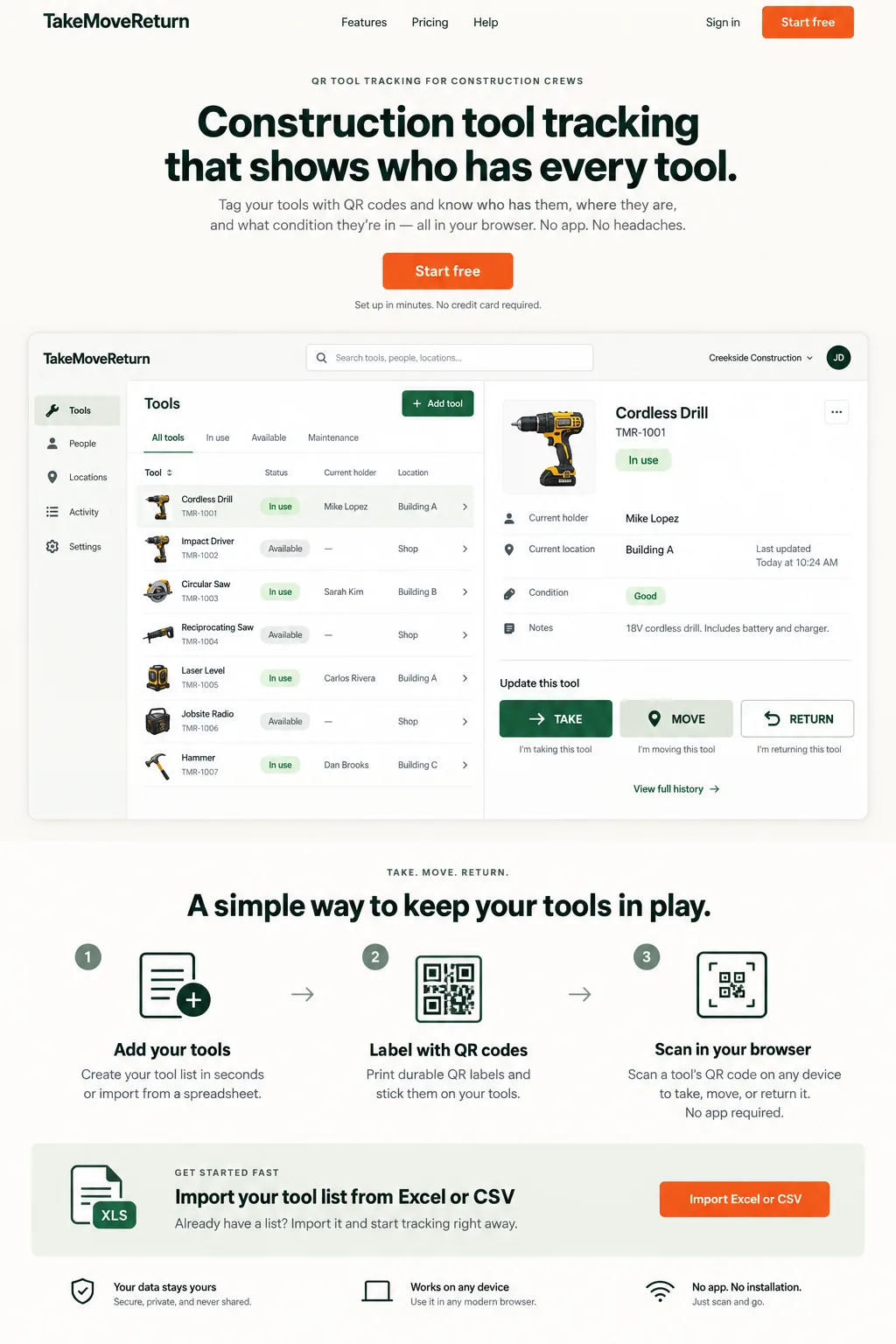
Illustrative design preview with fictional records. The current workspace interface may differ.
FIELD REALITY
Built for the problem behind the search.
Tool records become difficult to trust when handoffs happen faster than the spreadsheet can be updated.
CONSTRUCTION SCENARIO
Follow the next handoff.
A tool moves between a worker, a truck, and a job site, and the next person needs a clear record.
Create a QR Asset Tag for Every Tool
A practical asset tag system gives each reusable tool a stable identity that stays with it as it moves between the shop, workers, trucks, and job sites.
How a QR Code Tracking System Works
A QR code tracking system lets a worker open the correct tool record from a phone browser and record the next user-confirmed handoff.
Scan, Take, Move and Return
The current workflow is built around QR scans and three simple actions: TAKE, MOVE, and RETURN, with custody and location history tied to the tool record.
QR Tracking vs Barcode Asset Tracking
Barcode asset tracking can work well in controlled environments, but TakeMoveReturn is QR-first and does not claim a native 1D barcode scanner workflow.
Do You Need Dedicated Barcode Hardware?
Dedicated barcode hardware is not required for the current QR workflow. TakeMoveReturn also does not claim RFID, Bluetooth beacon, GPS, or telematics tracking.
Test the label where it will actually be scanned
Print a sample before committing to a batch. Place the label on a clean, accessible surface away from heat, moving parts and safety markings. Scan it using the phone and lighting conditions your crew will use. The printed asset code provides a useful fallback if the QR becomes unreadable.
Put it into practice
- Check that each preview contains the correct tool name and asset code.
- Keep the code's quiet margin clear and avoid wrapping it around a tight curve.
- Replace worn labels and follow the authorized QR rotation process if a link is exposed.
For product corrections, contact support@takemovereturn.com. About the service and operator.
FAQ
Questions crews ask before they switch.
Is QR code tracking the same as live location tracking?
No. QR code tracking records a scan and the associated custody or location event. It does not continuously locate a tool.
Can I use QR tracking from a phone?
Yes. The workflow is designed to open from a phone browser after scanning the tool's QR label.
Does a label contain my worker PIN?
No. Never print worker PINs or passwords on a label. The label should identify the tool, not disclose credentials.
Give every tool a clearer next move.
Start with your existing spreadsheet, print QR labels, and give your crew a clear field workflow.