PRACTICAL GUIDE
QR Code vs Barcode Tool Tracking
Compare QR codes and barcodes for reusable construction tool handoffs, labels, and browser-based scanning.
Start freeA practical tool-tracking workflow for construction crews.
TakeMoveReturn gives small crews a simple QR-based way to record where reusable tools are, who has them, and what happened next.
WORKFLOW
A short path from tool list to current record.
- 01
Choose the label format
- 02
Place it where workers can scan it
- 03
Connect each scan to a TAKE, MOVE, or RETURN event
How QR Tool Tracking Works
QR tool tracking uses a visual code that a worker can scan from a phone to open the correct reusable-tool record and complete a user-confirmed handoff.
How Barcode Tool Tracking Works
A barcode tool tracking system can identify tools with 1D barcodes, often using dedicated scanners or compatible camera workflows depending on the implementation.
QR vs Barcode: Hardware Requirements
QR code tracking can work with standard phone cameras, while some barcode asset tracking workflows add dedicated scanning hardware; neither label type provides continuous location by itself.
Which Works Better for Field Crews?
Field crews should choose the label workflow that workers can complete quickly and reliably at the point of TAKE, MOVE, and RETURN.
Where TakeMoveReturn Fits
TakeMoveReturn uses a QR code tracking system and browser workflow. QR tracking is the current product direction; the product does not claim native 1D barcode scanner, RFID, Bluetooth, or GPS support.
Test the scan workflow before choosing a label format
A QR label can open a browser link using a compatible phone camera. A barcode workflow depends on the scanner and the software handling its value. Compare the complete process, including authentication, not only how quickly a code can be read. TakeMoveReturn's current field workflow is QR-first.
Put it into practice
- Test the label at its intended size and placement.
- Confirm the scan opens the intended tool, not a copied or unrelated record.
- Keep a readable asset code on the label as a fallback.
For product corrections, contact support@takemovereturn.com. About the service and operator.
PRODUCT PREVIEW
See the record before you search for the tool.
Keep the details field teams need together, from the tool list to the next handoff.
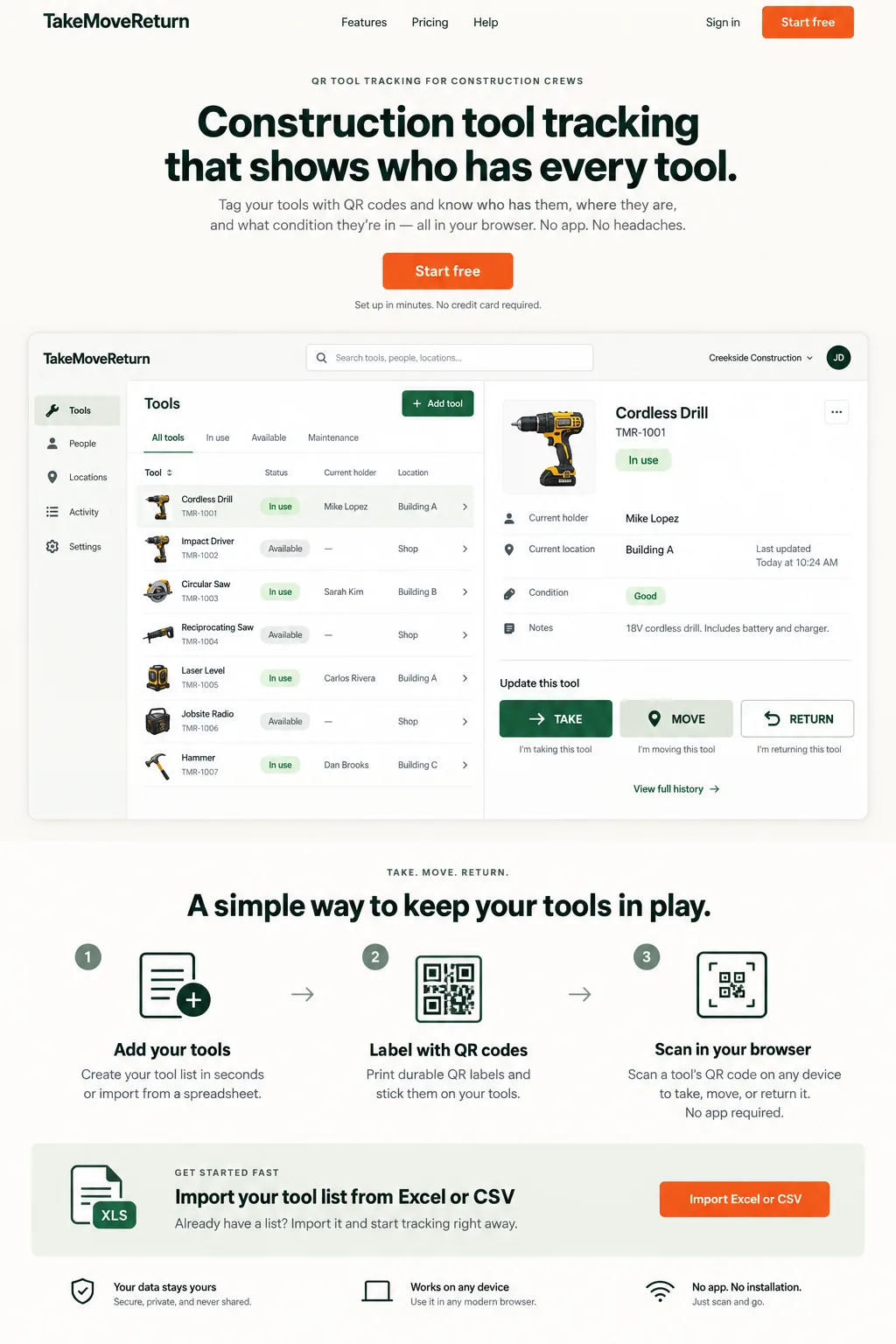
Illustrative design preview with fictional records. The current workspace interface may differ.
FAQ
Questions crews ask before they switch.
Does a QR code replace a tool record?
No. It identifies the tool; the authenticated workflow records who has it and what happened.
Can I use a 1D barcode scanner with this field workflow?
TakeMoveReturn does not claim a native 1D barcode-scanner workflow. Its supported product direction is QR-based browser access.
Give every tool a clearer next move.
Start with your existing spreadsheet, print QR labels, and give your crew a clear field workflow.