CONSTRUCTION TOOL TRACKING
Tool Inventory Software That Shows Where Every Tool Is
Tool inventory software for reusable construction equipment, holders, locations, and checkout history.
Start freeA practical tool-tracking workflow for construction crews.
Tool inventory software should tell a construction crew what reusable tools exist, who has them, where they were last recorded, and whether they were returned.
- No GPS or expensive hardware required
- Works from a phone browser
- Built around TAKE, MOVE, and RETURN
PRODUCT PREVIEW
See the record before you search for the tool.
Keep the details field teams need together, from the tool list to the next handoff.
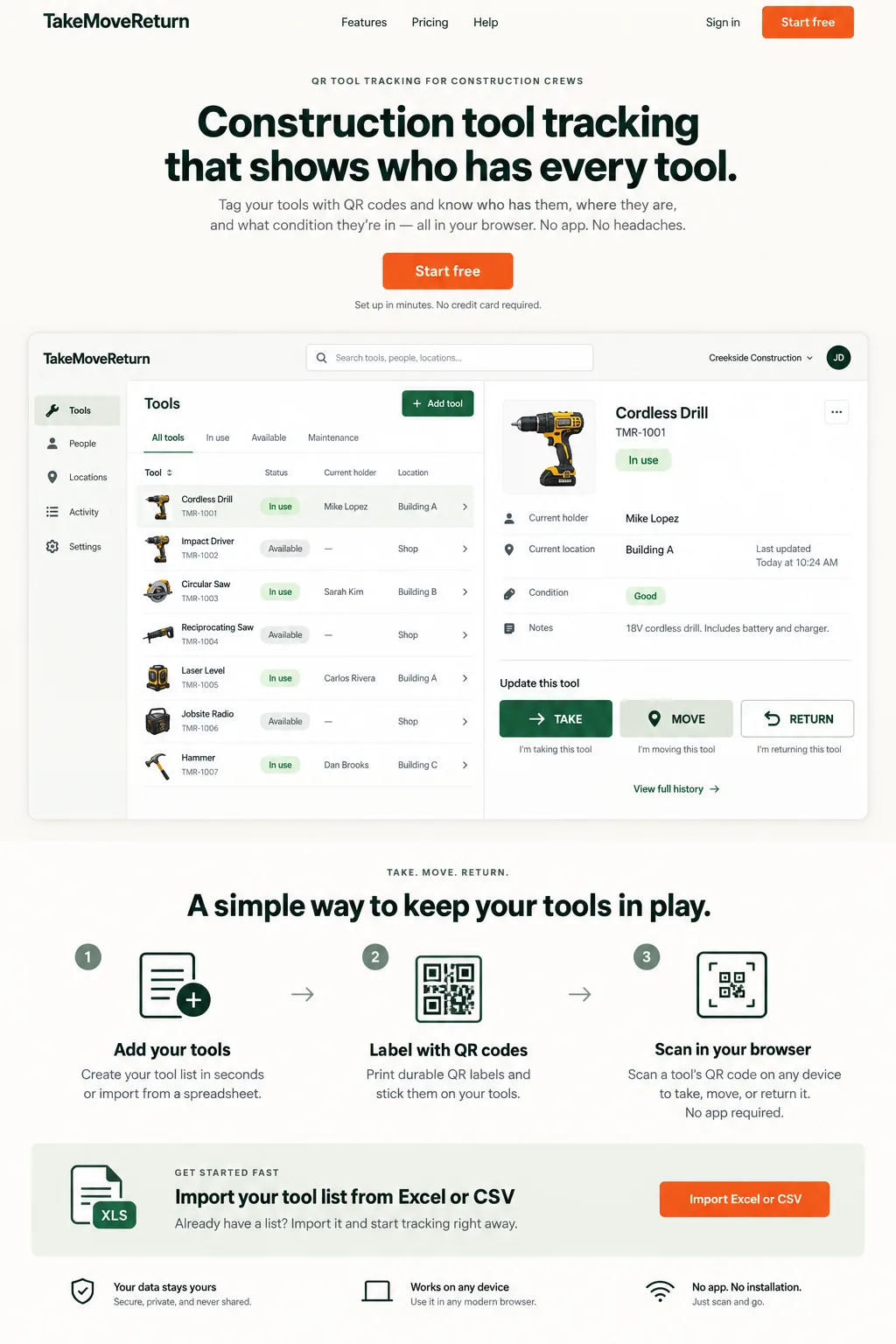
Illustrative design preview with fictional records. The current workspace interface may differ.
FIELD REALITY
Built for the problem behind the search.
Tool records become difficult to trust when handoffs happen faster than the spreadsheet can be updated.
CONSTRUCTION SCENARIO
Follow the next handoff.
A tool moves between a worker, a truck, and a job site, and the next person needs a clear record.
| Asset code | Tool | Recorded holder / location | Physical count result |
|---|---|---|---|
| EXAMPLE-001 | Cordless drill | Worker A / Site North | Found with Worker B: review the handoff |
| EXAMPLE-002 | Drain camera | No holder / Warehouse | Present: no movement needed |
| EXAMPLE-003 | Laser level | Worker B / Service truck | Not found: check history and report the discrepancy |
Tool Inventory Management for Reusable Equipment
Build an item-level register: asset code, recognizable tool name and category. Add brand, model and serial number where available. Two identical drills are two physical items and need different codes; consumable quantities belong in a separate stock list.
Equipment Inventory Software for Construction Teams
Arrange the physical count by shop, vehicle and job site. Ask the recorded holder to confirm tools away from the count location. Keep an exception list for items that are missing, with another worker, damaged or awaiting review.
A Tool Inventory Tracking System Built Around Checkout and Return
Compare each physical item with the last recorded holder, location and condition. A match needs no new movement. A different holder needs a confirmed, authorized handoff; a missing item needs investigation rather than a duplicate inventory row.
Move Beyond a Tool Inventory Spreadsheet
Start with the downloadable example and replace every fictional row. Map the CSV/XLSX columns, review validation errors and company capacity, then inspect the import result. The import preview does not create tools, and location or condition notes are not custody events.
Clean the register before importing it
Use one row per physical reusable tool. Two identical drills need different asset codes; a box of screws is consumable stock, not two hundred reusable tool records. Validate a small file first and inspect duplicate-code and capacity errors before importing the rest.
Put it into practice
- Keep asset codes as text so leading zeroes survive spreadsheet editing.
- Remove duplicate rows and use clear, distinguishable tool names.
- Review mapped columns and import results before printing labels.
Download an illustrative tool register (CSV). This is a planning example, not a prevalidated import or a customer dataset. Review and map columns in the import workflow.
For product corrections, contact support@takemovereturn.com. About the service and operator.
FAQ
Questions crews ask before they switch.
Do I need a tool inventory app?
No native tool inventory app is required. TakeMoveReturn works from a browser, and field workers can open the QR workflow from a phone.
Can identical tools share one asset code?
No. Use a distinct code for each physical tool so custody and movement history do not get mixed together.
Give every tool a clearer next move.
Start with your existing spreadsheet, print QR labels, and give your crew a clear field workflow.