CONSTRUCTION TOOL TRACKING
Tool Management Software for Construction Crews
Tool management software for construction crews using QR-based checkout, transfers, and returns.
Start freeA practical tool-tracking workflow for construction crews.
Tool management software helps construction crews keep shared tools assigned to the right worker or location and preserves a clear history of checkout, transfer, and return.
- No GPS or expensive hardware required
- Works from a phone browser
- Built around TAKE, MOVE, and RETURN
PRODUCT PREVIEW
See the record before you search for the tool.
Keep the details field teams need together, from the tool list to the next handoff.
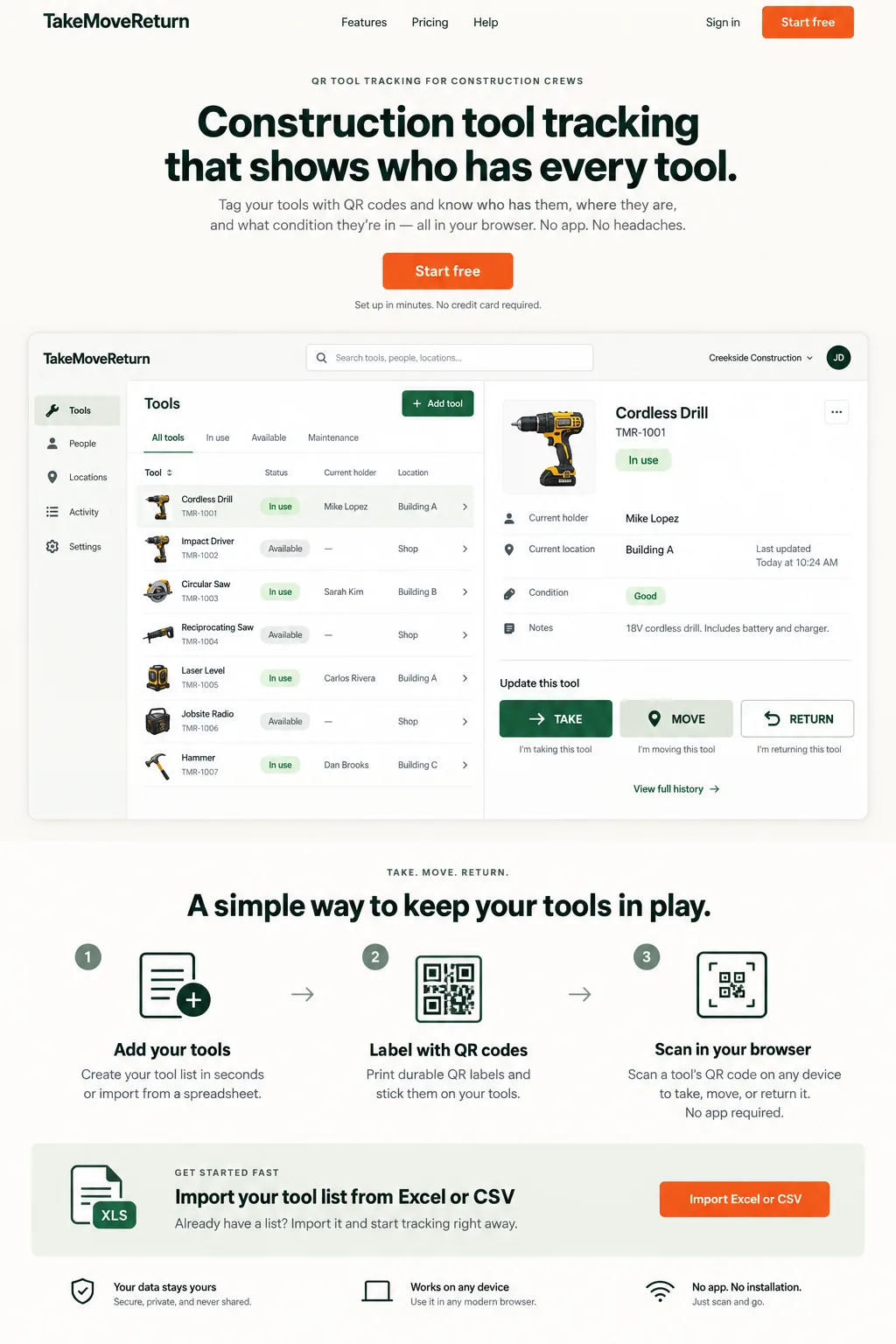
Illustrative design preview with fictional records. The current workspace interface may differ.
FIELD REALITY
Built for the problem behind the search.
Tool records become difficult to trust when handoffs happen faster than the spreadsheet can be updated.
CONSTRUCTION SCENARIO
Follow the next handoff.
A tool moves between a worker, a truck, and a job site, and the next person needs a clear record.
| Role | Owns | Checks before leaving |
|---|---|---|
| Manager | Tool identities, locations, worker access and exception review | Every active tool has a distinct code and a usable location |
| Field worker | TAKE, MOVE and RETURN under their own identity | The recorded holder and location match the handoff |
| Returning crew | Physical count and observed condition | Missing or damaged items are reported for manager review |
A Simple Tool Management System
Useful tool management systems start with a distinct asset code for each reusable item and an agreed handoff process. Managers maintain the register and worker access; field workers record movements under their own identities. A roster is useful only when someone owns the exceptions.
One Tool Management Solution for Workers, Trucks and Job Sites
Use recognizable shop, truck and job-site locations. Before dispatch, a supervisor checks the current holder and condition; after a transfer, the receiving crew checks that the record matches the item they received.
Manage Tool Checkout, Transfers and Returns
TAKE assigns an available tool, MOVE records a new holder or location, and RETURN clears the holder at the selected return location. Review the resulting status and history instead of assuming that opening a QR page recorded a handoff.
Tool Management Without Spreadsheets
A spreadsheet can help prepare the initial list. After import, use authenticated handoffs to maintain custody rather than maintaining a second competing register. Review missing tools and damaged equipment with a manager; keep consumables and purchasing in their own process.
Give the supervisor and worker different jobs
A supervisor maintains tool records, locations and worker access. A field worker records the next handoff using their own identity. Shared-device enrollment does not replace worker authentication, and a printed QR label is an identifier rather than permission to edit company data.
Put it into practice
- Enroll shared devices through the authorized workspace flow.
- Give each worker their own PIN; do not put it in an employee code.
- Lock or switch the worker session before another person uses the device.
For product corrections, contact support@takemovereturn.com. About the service and operator.
FAQ
Questions crews ask before they switch.
Is TakeMoveReturn a tool management tool or a full asset platform?
It is a focused tool management tool for reusable construction tools and equipment. It does not replace ERP, procurement, fleet telematics, or IT asset management.
Does scanning a printed label grant access?
No. A QR label identifies a tool; authorized device and worker access are still required for field actions.
Give every tool a clearer next move.
Start with your existing spreadsheet, print QR labels, and give your crew a clear field workflow.