CONSTRUCTION TOOL TRACKING
Construction Equipment Tracking Software for Crews and Job Sites
Construction equipment tracking software that records QR-based movement without GPS hardware.
Start freeA practical tool-tracking workflow for construction crews.
Construction equipment tracking software can keep a crew's reusable equipment visible through QR-based handoffs without requiring live GPS hardware.
- No GPS or expensive hardware required
- Works from a phone browser
- Built around TAKE, MOVE, and RETURN
PRODUCT PREVIEW
See the record before you search for the tool.
Keep the details field teams need together, from the tool list to the next handoff.
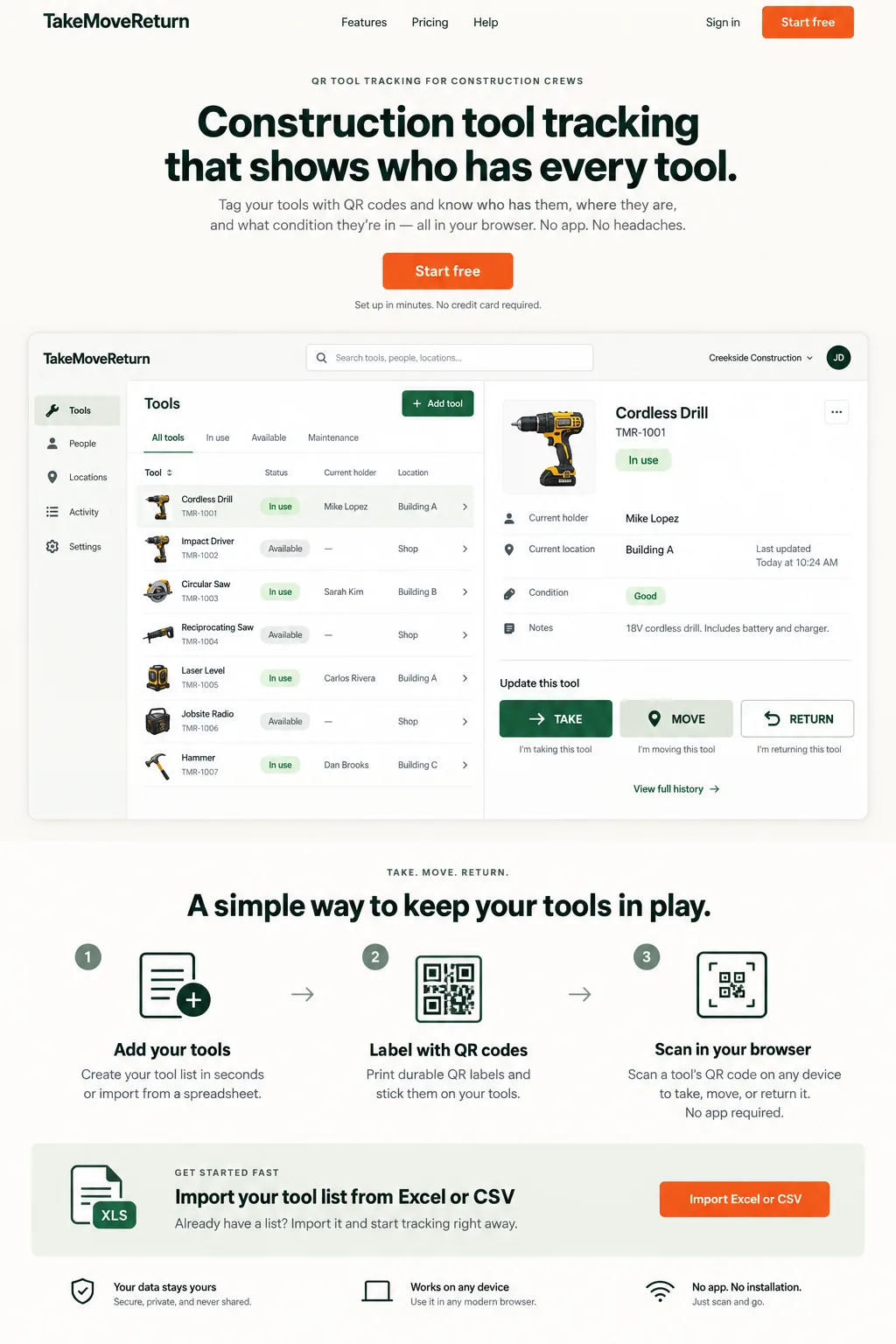
Illustrative design preview with fictional records. The current workspace interface may differ.
FIELD REALITY
Built for the problem behind the search.
Tool records become difficult to trust when handoffs happen faster than the spreadsheet can be updated.
CONSTRUCTION SCENARIO
Follow the next handoff.
A tool moves between a worker, a truck, and a job site, and the next person needs a clear record.
Track Equipment Across Workers, Trucks and Job Sites
Equipment tracking records who currently has an item and the location recorded at the last TAKE, MOVE, or RETURN event.
Equipment Tracking Without GPS Hardware
An equipment tracker for field crews does not have to mean a GPS device. TakeMoveReturn is based on authenticated scans and user-entered movement events.
How the Equipment Tracking System Works
The equipment tracking system keeps a readable history so a manager can see the latest holder, location, condition, and prior handoffs.
QR Tracking for Reusable Construction Equipment
QR labels work well for reusable construction equipment because a worker can scan from a phone browser at the point of transfer.
Interpret the last recorded location correctly
A QR scan opens an equipment record; it does not locate equipment continuously. If a drill is recorded at a job site but leaves without a MOVE event, the record remains at that site. Investigate the last handoff and contact the recorded holder instead of assuming the map is current.
Put it into practice
- Record the destination while equipment changes location.
- Confirm the physical item and asset code before recording a movement.
- Investigate stale records with the holder and event history.
For product corrections, contact support@takemovereturn.com. About the service and operator.
FAQ
Questions crews ask before they switch.
Will I see a tool moving in real time?
No. Locations reflect authenticated, user-recorded events, not live GPS positions.
Give every tool a clearer next move.
Start with your existing spreadsheet, print QR labels, and give your crew a clear field workflow.